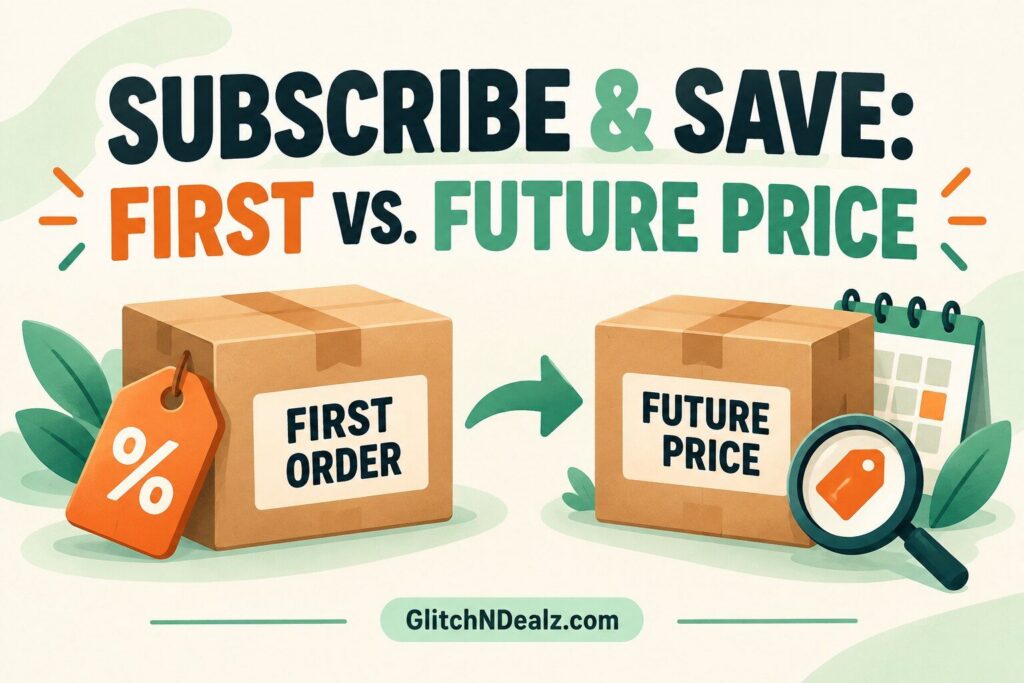
Your first Amazon Subscribe & Save delivery and your future deliveries may not cost the same. The first order can include a one-time coupon or promotion, while later deliveries use the item price and subscription discount shown for that upcoming shipment. The safest approach is to treat every delivery as a new price decision: read Amazon’s reminder, compare the final amount with current alternatives, and skip or cancel before the stated change deadline if the value no longer works.
Deal alert: These deals can change at any time without notice! Prices, discounts, coupons, and availability may vary by location, account, size, color, or seller. The price shown was reported when the deal was found or published and is not guaranteed. Always verify the final price and promotion terms before checkout. Amazon prices, coupons, and Prime offers may vary by account.
This guide applies to Amazon.com shoppers in the United States. Product eligibility, seller-funded discounts, account-specific offers, taxes and delivery timing can vary. Amazon’s official Subscribe & Save information was checked on October 11, 2026. All dollar amounts below are hypothetical examples—not current offers, coupon codes or guaranteed savings.
Affiliate disclosure: GlitchNDealz may earn a commission from qualifying Amazon purchases, at no additional cost to you.
Set up a useful subscription, then keep control of it
- Choose a product you already use. Confirm the exact size, formula and pack count. Compare the one-time price with the Subscribe & Save option on that listing.
- Match quantity and timing to your household. Count your unopened supply first. Choose from the delivery intervals offered for the item rather than accepting a faster schedule just for a discount.
- Read the first-order summary. Check the subscription percentage, any eligible coupon, delivery date and final total before creating the recurring order. A coupon can have separate conditions.
- Open Manage Your Subscriptions before the next delivery. Select the item and use the available controls to change quantity or frequency, skip a delivery or cancel. Confirm the saved result and next scheduled date; button labels can vary.
Amazon’s official Subscribe & Save guide explains setup, reminder emails and the available management options. It says Prime membership is not required. Check the specific order’s terms and displayed change deadline; changing a subscription is not the same as cancelling an order already being processed.
The short answer: compare two different calculations
The first order starts with the price shown when you place that subscription, then subtracts the applicable Subscribe & Save discount and any eligible first-delivery coupon. A later delivery starts with the price Amazon quotes for that shipment, then applies the subscription discount that qualifies at that time. A first-order coupon should not be assumed to repeat.
| Price component | First delivery | Future delivery |
|---|---|---|
| Item price | Price confirmed when the subscription order is placed | Price quoted for the upcoming shipment |
| Subscription discount | Depends on the item and qualifying order | Recalculated under the current offer and delivery grouping |
| Extra coupon | May apply if the account and item qualify | Do not assume a first-delivery coupon repeats |
| Decision point | Review checkout before submitting | Review the reminder before the update deadline |
Why the first Subscribe & Save price can look unusually low
Amazon’s official seller guidance says sellers can offer Subscribe & Save coupons that are redeemable on the first delivery of a new subscription. That extra coupon sits alongside the ordinary subscription pricing shown for the order. It can make the first shipment noticeably cheaper than the next one.
Suppose an eligible item is priced at $30. A hypothetical 10% first-delivery coupon subtracts $3, and a hypothetical 5% subscription discount subtracts another $1.50 when each is calculated from the displayed item price. The illustrated first-delivery subtotal would be $25.50 before tax:
$30 − $3 − $1.50 = $25.50.
That math does not establish the second-delivery price. If the one-time coupon is gone and the later item price is $32, a 5% subscription discount would produce an illustrated $30.40 subtotal before tax:
$32 − ($32 × 0.05) = $30.40.
The later shipment is $4.90 more in this example. The difference comes from both the expired first-delivery coupon and the changed item price. Use the exact line items Amazon shows for your account rather than copying a percentage from a deal post.
Does Subscribe & Save lock in the original item price?
No. Amazon’s published Subscribe & Save terms explain that the price for a delivery can fluctuate. Amazon sends the price of the next delivery before filling the order, and the quoted amount becomes the price to evaluate for that shipment. Program terms and benefits can also change for future orders.
This is why “I subscribed at $20” is not enough information for a delivery several months later. Review the item, quantity, seller, quoted price, discount and tax again. If the amount is no longer competitive, use the options shown in your account before Amazon’s stated last day to make changes.
Open your subscriptions from your Amazon account rather than relying only on an old confirmation email. Confirm that the product variation is still the one you need. A price comparison is meaningless if a package size, count, scent or formula has changed.
How the standard Subscribe & Save discount works
Amazon says customers can receive up to 15% off eligible Subscribe & Save purchases, but up to is not a promise that every item or delivery earns 15%. Amazon’s seller guidance describes base discounts funded at different levels and an additional Amazon-funded discount when five or more qualifying subscription items arrive together on the same delivery day.
The percentage therefore depends on the item, seller-funded level, current program terms and whether the shipment meets the grouping requirement. Check the percentage beside each upcoming item. Do not add five cheap items merely to chase a higher tier without comparing the dollars spent.
Illustrative grouping test: four products you already need cost $12 each, or $48 total. At a hypothetical 5% discount, the savings are $2.40. Adding an unnecessary $9 item to reach a higher tier would raise spending even if the new discount became 10%:
Four useful items: $48 × 0.95 = $45.60.
Five items including the extra: $57 × 0.90 = $51.30.
The second basket has a better percentage but costs $5.70 more. A discount tier saves money only when the added products were already planned and will be used.
Step by step: review an upcoming subscription price
- Open Amazon and go to your Subscribe & Save subscriptions.
- Select the upcoming delivery and confirm the product variation, quantity and delivery date.
- Write down the quoted item price and every discount displayed for that shipment.
- Check whether a coupon says it applies only to the first delivery or to a specific account.
- Compare the final per-unit cost with a one-time Amazon purchase and a realistic local alternative.
- Check your household inventory so the next shipment will be used before it expires or takes over storage space.
- If the order no longer makes sense, skip it, change the frequency or cancel before Amazon’s displayed deadline.
You can browse currently eligible items on Amazon’s Subscribe & Save storefront. Eligibility and pricing can differ by account and change over time, so the storefront is a place to check—not proof of a permanent saving.
Compare unit price, not just the shipment total
A subscription multipack can have a lower order total but a higher cost per usable unit than another size. Divide the after-discount subtotal by ounces, loads, rolls, servings or another matching measure. Convert both options to the same unit before deciding.
For example, a hypothetical 80-count package at $18 after discounts costs 22.5 cents each: $18 ÷ 80 = $0.225. A 120-count package at $25.20 costs 21 cents each: $25.20 ÷ 120 = $0.21. The larger pack is cheaper per unit, but only if you will use the additional 40 units and can afford the higher checkout amount.
Our unit-price comparison guide explains how to compare mismatched package sizes. For a broader checkout review, use the GlitchNDealz shopping tools.
When Subscribe & Save is probably worthwhile
- You use the product at a predictable rate.
- The final unit price beats realistic alternatives.
- You review every upcoming order instead of treating it as permanent autopilot.
- The package will be used before expiration or quality declines.
- The delivery interval can be adjusted to match actual consumption.
The convenience itself can have value, especially for essentials that are costly to run out of. Still, measure convenience against the complete price. A recurring shipment that arrives too often converts a discount into excess inventory.
When to skip, change or cancel
Consider changing the order when your pantry is still full, consumption has slowed, the package size changed, the quoted price rose, or another product now offers better value. Amazon says customers can change delivery frequency or cancel; available controls and deadlines appear in the account.
Do not wait until a shipment is already processing and assume it can still be stopped. Review Amazon’s reminder promptly. If an order has already entered fulfillment, the options may differ from those available before the change cutoff.
Common costly mistakes
- Treating the first-order coupon as permanent. Read whether it applies only to the first delivery.
- Remembering a percentage instead of checking dollars. A higher discount on a higher current price can still cost more.
- Adding filler to reach five items. Compare the final basket, not just the tier.
- Ignoring product count changes. Recalculate the cost per ounce, load or unit.
- Missing the account deadline. Review the reminder before the last day to update.
- Overstocking perishables. A discounted product that expires unused is waste, not savings.
For Amazon deal checks beyond subscriptions, see how to verify Amazon deals and coupons before buying.
Subscribe & Save price-check checklist
- Confirm the exact product, size, count and quantity.
- Separate the item price, subscription discount and one-time coupon.
- Check the quoted price for this specific delivery.
- Calculate the after-discount unit price.
- Compare with a one-time order and a realistic alternative.
- Check inventory and expiration risk.
- Skip, reschedule or cancel before the displayed cutoff if needed.
Frequently asked questions
Will my first Subscribe & Save coupon apply to every delivery?
Do not assume it will. Amazon’s official seller guidance says Subscribe & Save coupons can be redeemable on the first delivery of a new subscription. Read the specific coupon and upcoming-order details for your account.
Is the Subscribe & Save price locked?
No. Amazon’s terms say prices for deliveries can fluctuate. Review the quoted upcoming price and make changes before the deadline Amazon provides.
Does every subscription receive 15% off?
No. Amazon describes savings of up to 15%. The actual percentage depends on the eligible product, current seller-funded discount and qualifying delivery grouping.
Do I need Amazon Prime to use Subscribe & Save?
No. Amazon says Prime membership is not required for Subscribe & Save. Still check the exact listing and order for eligibility, discounts and delivery terms.
Can I cancel after the first delivery?
Amazon says customers can cancel subscriptions, but act through the account controls before the relevant deadline. An order already processing may have different cancellation or return options.
Bottom line: the first delivery is one transaction, and every future delivery is another. Recheck the current item price, repeating discount, one-time coupon status and unit cost before allowing the next shipment to process.
Find recent deal posts, curated roundups and more practical guides in our Amazon deals and savings hub.