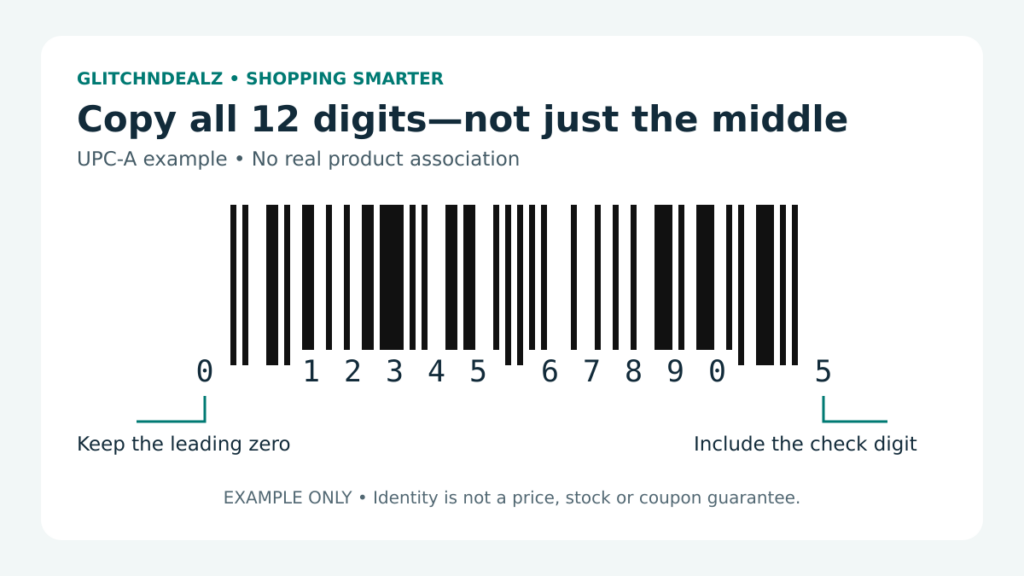
The quickest way to find a product’s UPC is to look at the digits printed beneath the barcode on its packaging. A standard UPC-A uses 12 digits. Copy the entire number, including a leading zero and the small digits printed outside the taller bars. You do not need to decode the bars by eye.
That number helps identify the item. It is not a guarantee that every store charges the same price, stocks the item or accepts it for a particular coupon. Use it to establish which product you are comparing, then check the actual offer separately.
Start with the package, not a similar-looking listing
Turn the package over and check the back, bottom and side panels. Before entering a number, write down the brand, product name, variety and package quantity. A family-size box and a smaller box may look nearly identical in a deal photograph, so the description still matters.
If you are comparing a multipack with an individual item, note which package the number came from. Do not assume that a code on an inner container describes the outer retail pack. For an online purchase, check the selected variant rather than relying on a photograph that may show several sizes.
Suggested comparison note: “Brand / exact variety / size / pack count / full barcode number / retailer / date checked.” Save a clear photograph of the label alongside the note so you can correct a typing error later.
Copy every printed digit
GS1 US identifies the standard UPC-A format as a 12-digit number. Its final digit is a calculated check digit. Product identifiers can also appear in other formats; do not trim an unfamiliar number simply to make it 12 digits.
When a lookup fails, first compare what you typed with the package. Check the first and last digits, accidental spaces, transposed digits and missing zeros. If a shopping app offers a barcode scanner, give it a clear view of the whole symbol, then check that its result describes your exact item before using it.
UPC, GTIN, ASIN and SKU: which number do you have?
| Identifier | What it means for your search |
|---|---|
| GTIN | Global Trade Item Number: the broader product-identification system. GS1 describes GTINs with 8, 12, 13 or 14 digits. |
| UPC-A / GTIN-12 | UPC-A is the barcode format that carries a 12-digit GTIN. Shoppers commonly call that number the UPC. |
| ASIN | Amazon’s 10-character catalog identifier, which can contain letters and numbers. Find it in Amazon product details or after /dp/ in a product URL; it is not a UPC. |
| SKU / retailer item number | A seller’s or retailer’s inventory reference. Record the store alongside it rather than assuming it works as a universal barcode number. |
These identifiers can describe related records without being interchangeable. Do not paste an ASIN into a UPC-only lookup or remove digits from a GTIN to fit a field. If a short UPC-E symbol is on the package, use a compatible scanner or the manufacturer’s information rather than manually padding it with zeros. GS1’s GTIN guide explains the number family; Amazon explains its ASIN system separately.
Use an official lookup to cross-check identity
Verified by GS1 is the official place to check GS1 identifier information. GS1 explains that a result can identify the organisation that assigned the number and, when available, corresponding product details. Missing product details should not be presented as proof that a product is counterfeit or nonexistent.
A retailer item number or internal SKU is not necessarily the same number as the package barcode. Keep both if they help your search, but label them separately. If the manufacturer’s product page and retailer listing disagree about the size, pause the comparison and ask the retailer or manufacturer to clarify.
Use the match to check the deal—not to promise it
After matching the item, compare the actual purchase terms: seller, package quantity, delivery or pickup, shipping charge and any coupon conditions. A matching barcode is a useful identity check, not evidence that a discount is currently available.
For example, if a clearance post describes one particular pack, compare that pack before deciding a larger bundle is the same offer. Likewise, do not apply the percentage from one listing to a different size because the brand name matches. Keep the identity check and the savings calculation as separate steps.
For a store-specific example after identifying the item, see our guide to checking a reported Walmart clearance price. It explains the separate store, fulfillment and checkout checks; a barcode match alone is not a price confirmation.
If the label is missing or unreadable
Look for the exact product and variant on the manufacturer’s site. If it does not supply the number, contact support with the product name, model or package photograph. Avoid guessing a barcode from a visually similar item. When you cannot establish the match, treat the comparison as unresolved rather than reporting a confirmed deal.
Does a valid check digit prove the product is genuine?
No. The check digit checks the number’s mathematical structure; it does not establish who sold you the item, whether the packaging is authentic or whether the offer applies. Do not treat a barcode scanner’s successful read as product-authentication evidence.
In the accompanying educational example, 012345678905 includes both the leading zero and final check digit, 5. The illustration does not identify a real product or show a current offer. When shopping, use the number on your actual item—not the example.
Bottom line: copy the full printed number, match the exact variant, and check the current shopping terms independently.