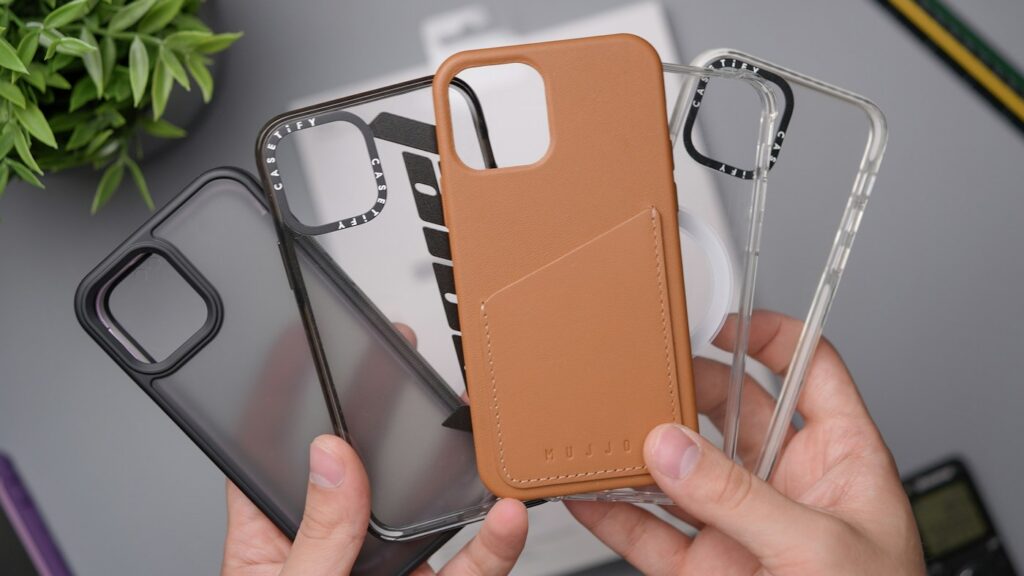
A phone case can look right in a photograph and still be the wrong variation. Screen size, a similar model name and a familiar camera layout are useful clues, but the buying decision should start with the exact phone model and the case maker’s stated compatibility.
This is a fit-checking method, not a claim that a particular case provides tested drop protection or that cases for different phones are interchangeable.
Identify the phone before searching for a case
Record the complete model name and generation from the device’s own information or the manufacturer’s identification guidance. Keep suffixes such as Plus, Pro or Max where they form part of the model name. A device nickname, storage capacity or purchase year alone is not the same identifier.
For an iPhone, Apple’s model-number instructions direct you to Settings, General, then About. The value beside Model Number initially shows the part number; tap it to display the model number. You can then compare that identifier with Apple’s model identification list. Use the relevant manufacturer’s instructions for another phone rather than assuming every settings menu is identical.
Match the selected case variation
Many listings group several phone models under one page. Read the compatibility for the variation you actually select, not just the first product title or a general search result. Check the cart description as well, since choosing a different color or design can lead to a different model selection.
| Check | What should agree |
|---|---|
| Phone identity | The full model and generation supported by the case |
| Selected variation | The model shown after choosing color, style and size |
| Camera opening | The camera layout and space described for that phone |
| Controls and ports | The openings or covers for the phone’s actual controls and connectors |
| Package contents | The number of cases and any separately listed accessories |
Do not infer fit solely from the display’s diagonal measurement. A case fits the device body and its features, not just the screen. Two phones described with a similar screen size can still require different case shapes.
Separate fit from extra feature claims
First establish that the case is made for the phone. Then check the specific features you need, such as a stand, wallet section, strap attachment or stated support for your charging setup. A pictured magnet or a general “wireless compatible” phrase is not a substitute for the maker’s compatibility details.
If you already use a screen protector, camera protector, charging dock or mount, review the relevant accessory dimensions and compatibility statements too. Do not assume that fitting the bare phone proves that every accessory combination will work.
Read multipack contents literally
A package described as several pieces may contain one case plus screen protectors, camera covers or cleaning accessories. Count the actual cases separately from the accessories and confirm that every included protector is intended for the same model.
If you only need a replacement case, a larger accessory count does not automatically add useful value. If you do need a protector as well, compare its exact model coverage rather than assuming it matches because it appears in a bundle photograph.
Keep a short compatibility note
Before paying, record the phone’s full model, the selected case variation, any accessory combination you need and the seller’s fit or return terms. Save the relevant item description with the order so you can distinguish a wrong variation from a different design preference if a problem arises.
Once the case arrives, follow its fitting instructions and check that the selected model and openings agree before relying on any additional features. Use the manufacturer’s guidance if installation is unclear rather than forcing a near-fitting case into place. For more practical comparisons, visit our shopping and savings guides.
Illustrative phone-case photograph; it does not establish compatibility with the reader’s device. Photo by Daniel Romero on Unsplash.